캐스도어-SSO
Casibase는 Casdoor를 ID 및 단일 로그인(SSO) 제공자로 사용합니다. Casdoor가 미리 배포되어 있는지 확인하세요.
Casdoor 설치 및 구성을 위해 Casdoor 서버 설치 가이드를 참조하세요.
다음 단계에 따라 Casibase를 위한 Casdoor를 설정하세요:
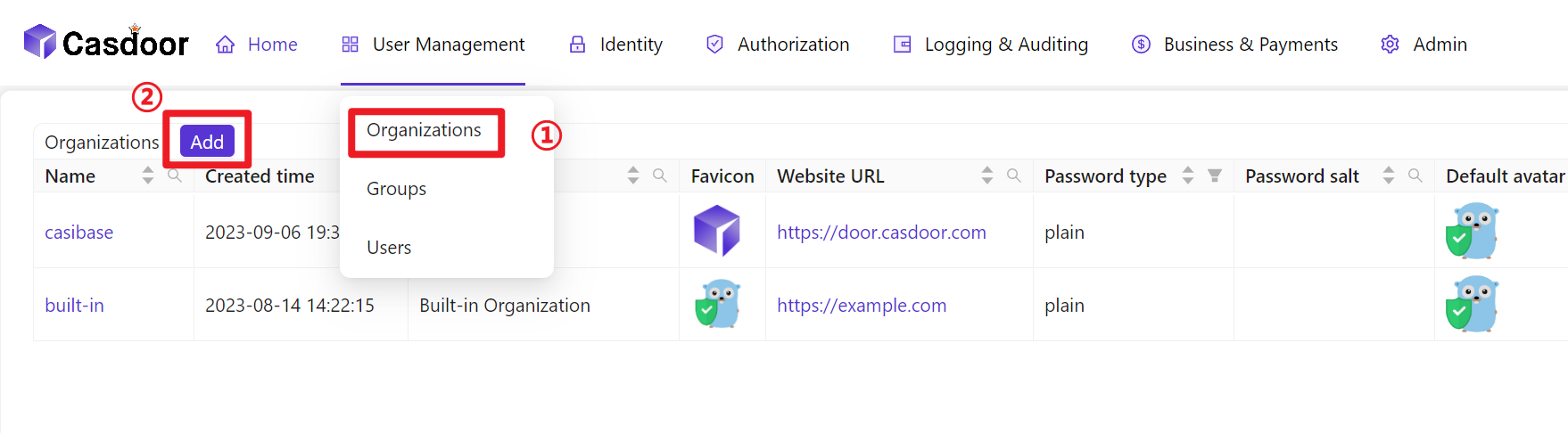
- 조직 생성
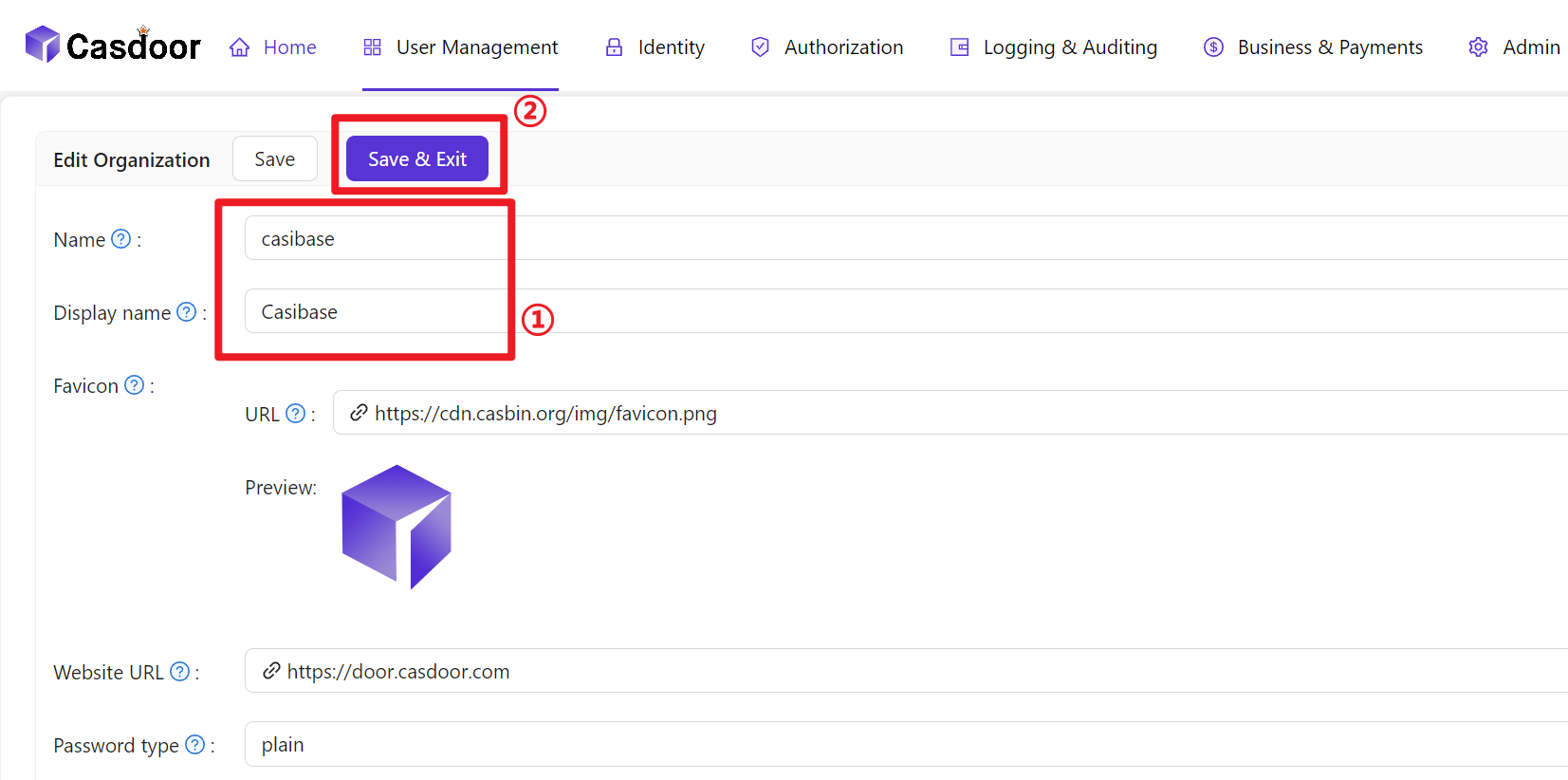
- 조직 정보 구성
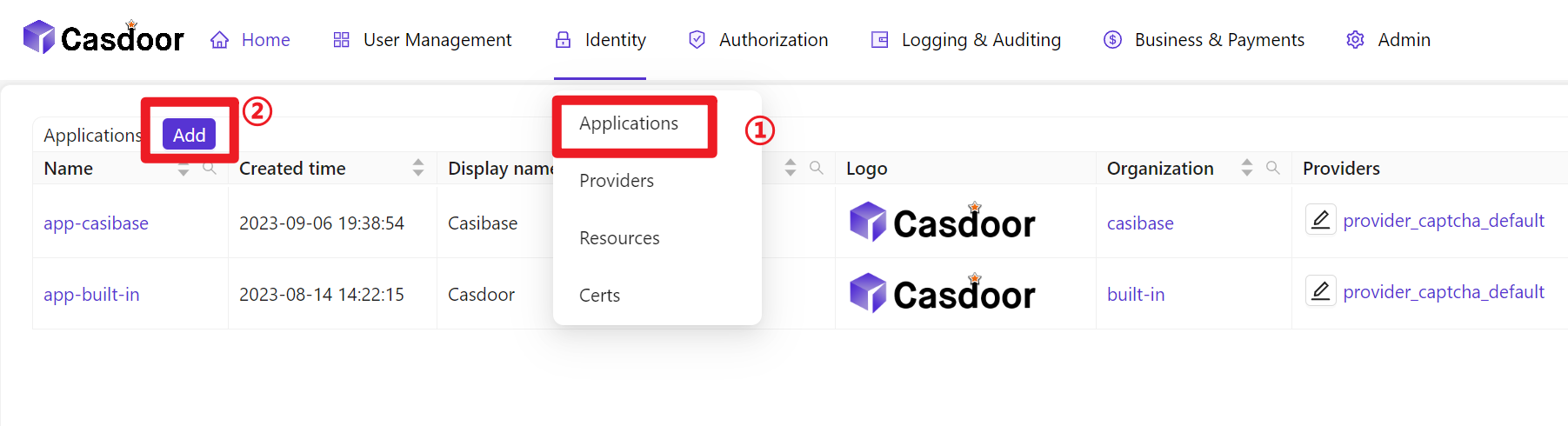
- 새 애플리케이션 생성
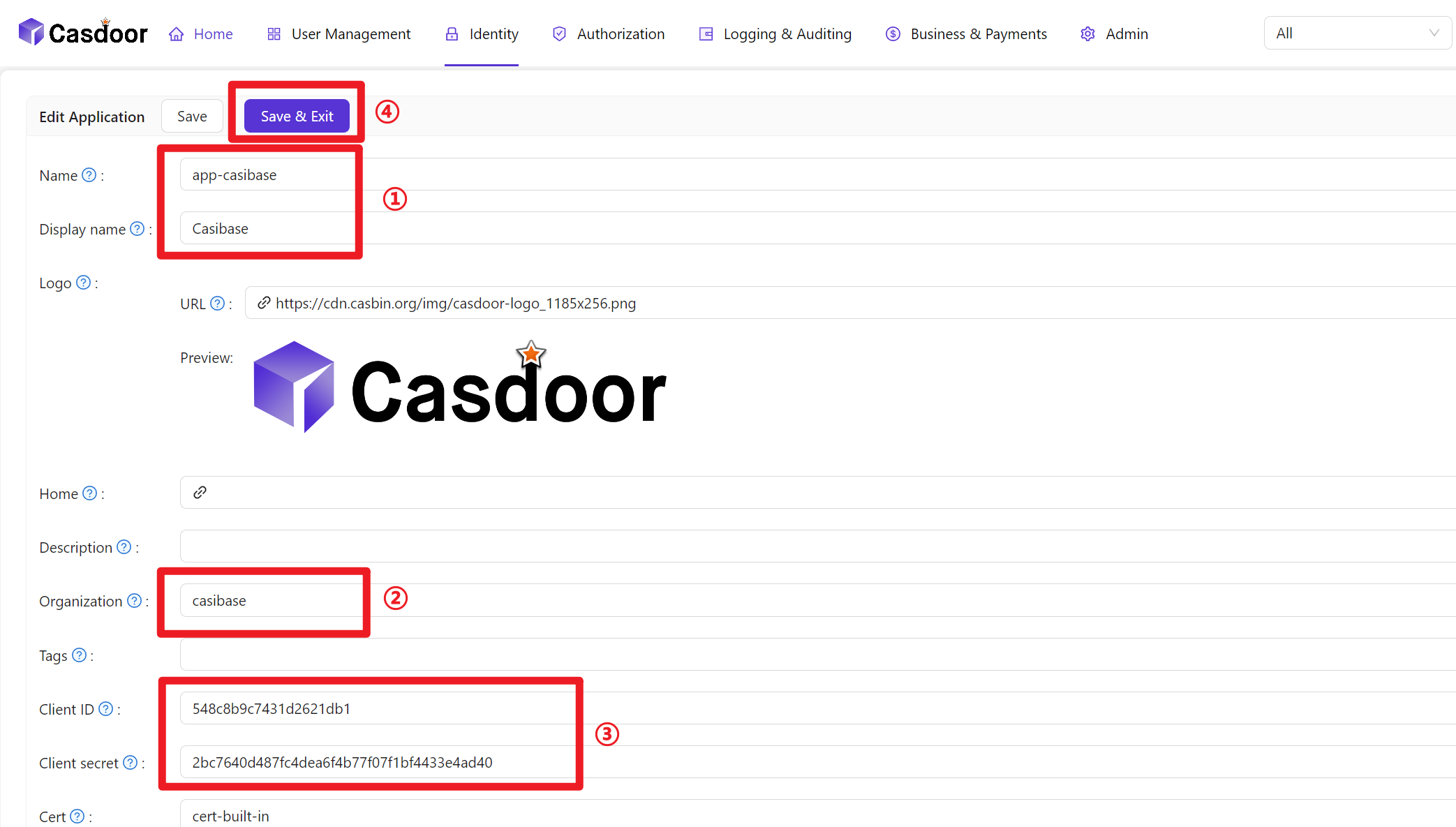
- 애플리케이션 정보 구성(애플리케이션 이름, ClientID 및 ClientSecret을 기억해 두세요)
- Create a Certificate: In the Casdoor dashboard, choose Cert → Add, keep
AlgorithmasRS256(default), enter a name, and click Save.
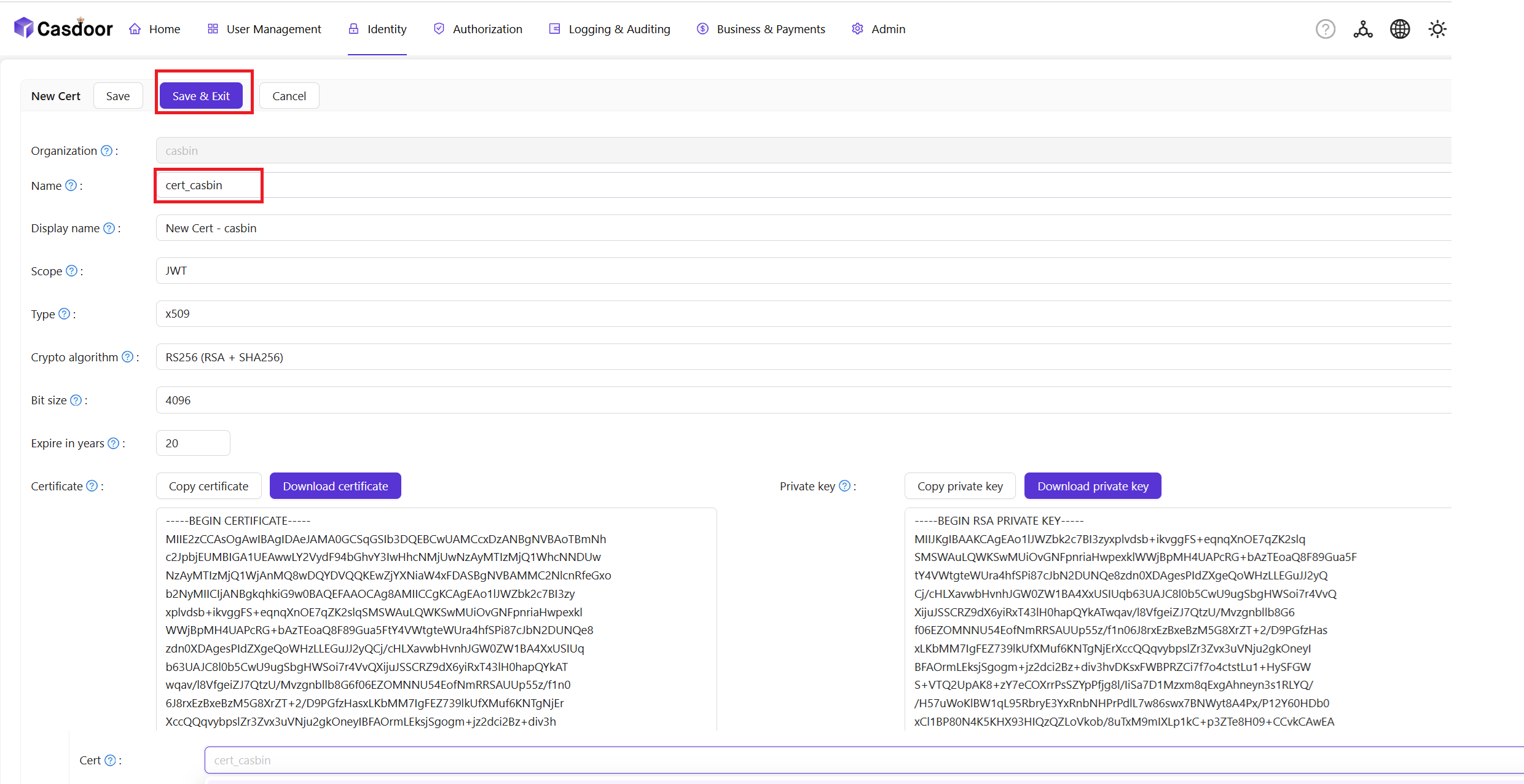
- Bind the Certificate to the Application: Open the Config tab of your newly created Application, select the certificate you just created from the Cert dropdown, and click Save.

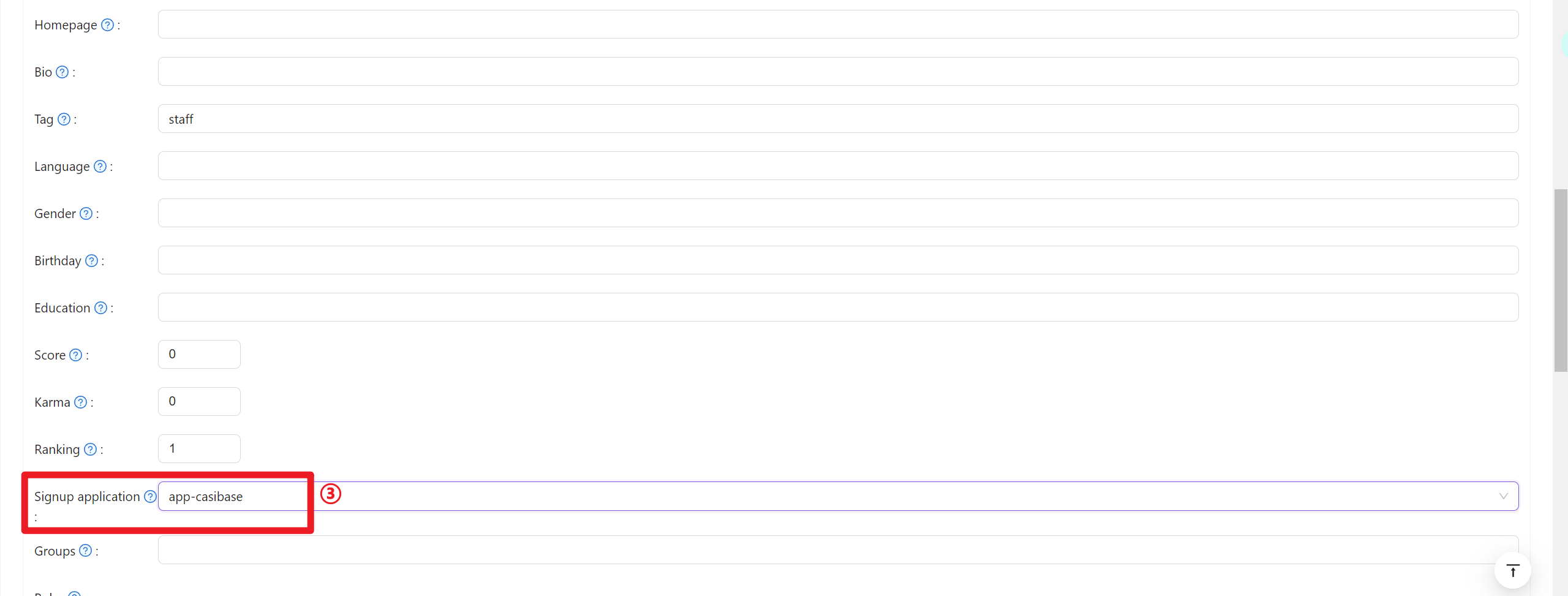
- 새로 생성된 조직에 멤버 추가
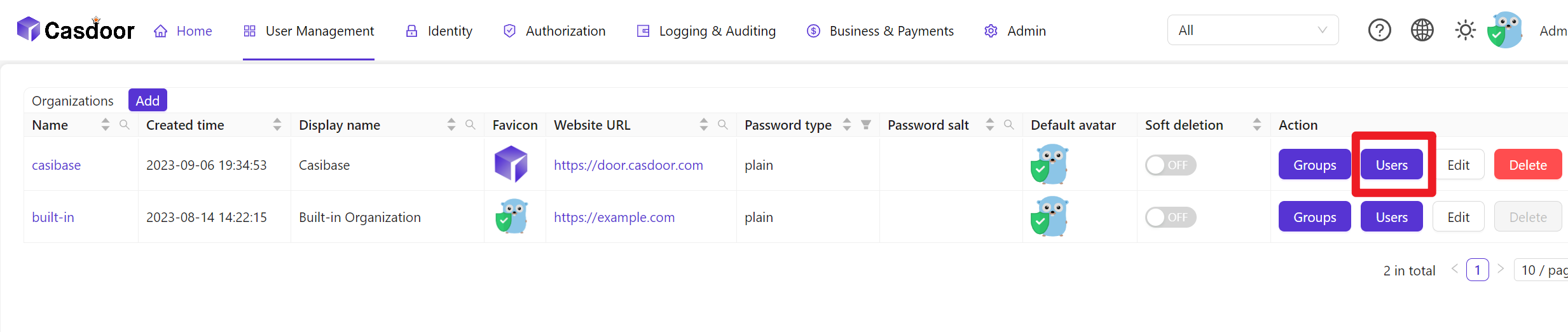
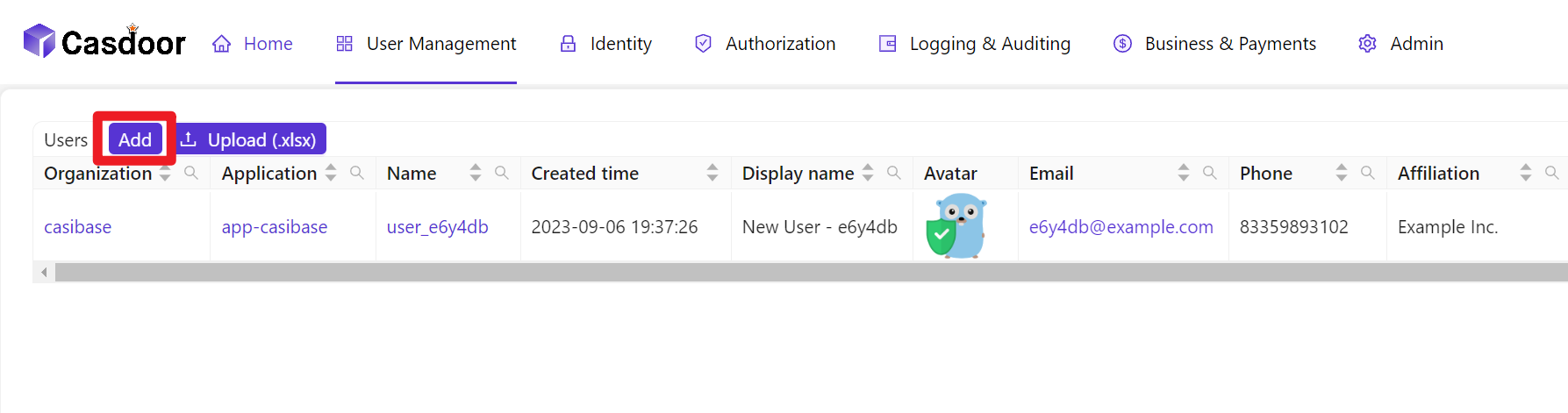
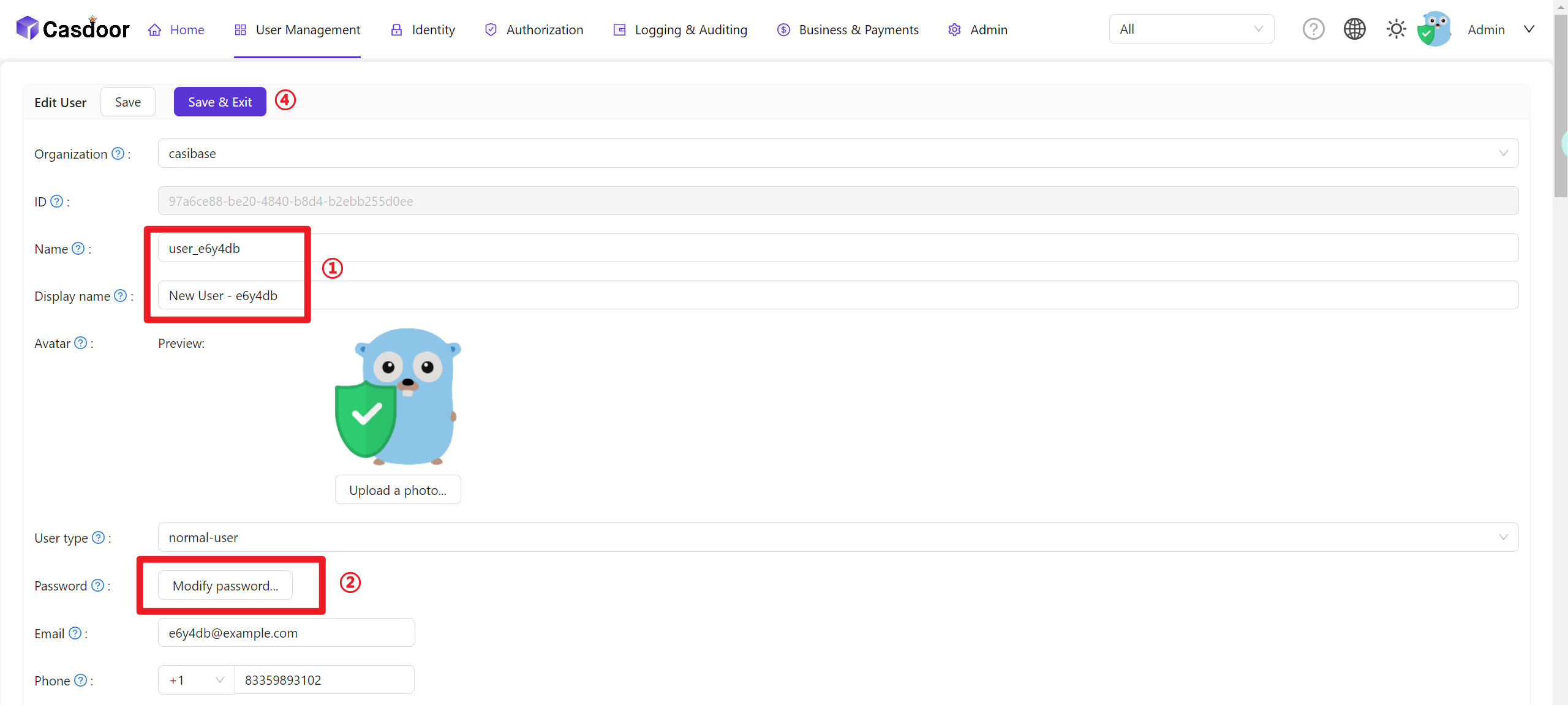
- 멤버 정보 구성(사용자 이름과 비밀번호를 기억해 두세요)
User Data Synchronization
Casibase automatically keeps user information synchronized with Casdoor. When a user's account is accessed through the application, Casibase fetches the latest user data directly from Casdoor rather than relying on cached session data. This ensures that any updates to user profiles in Casdoor—such as changes to name, email, avatar, or permissions—are immediately reflected in Casibase without requiring users to log out and log back in.
This real-time synchronization happens transparently in the background whenever the application needs to access the current user's account information.
Billing Integration
Casibase integrates with Casdoor's transaction system for AI usage billing. When users interact with AI models, transaction records are automatically created in Casdoor to track token consumption and costs. This enables centralized billing management across all your applications. For details on how transactions work, see the Billing & Usage section.