Casdoor-SSO
يستخدم Casibase نظام Casdoor كمزود للهوية وتسجيل الدخول الموحد (SSO). يرجى التأكد من نشر Casdoor مسبقًا.
يرجى الرجوع إلى دليل تثبيت خادم Casdoor لتثبيت وتكوين Casdoor.
اتبع هذه الخطوات لإعداد Casdoor لـ Casibase:
- إنشاء منظمة
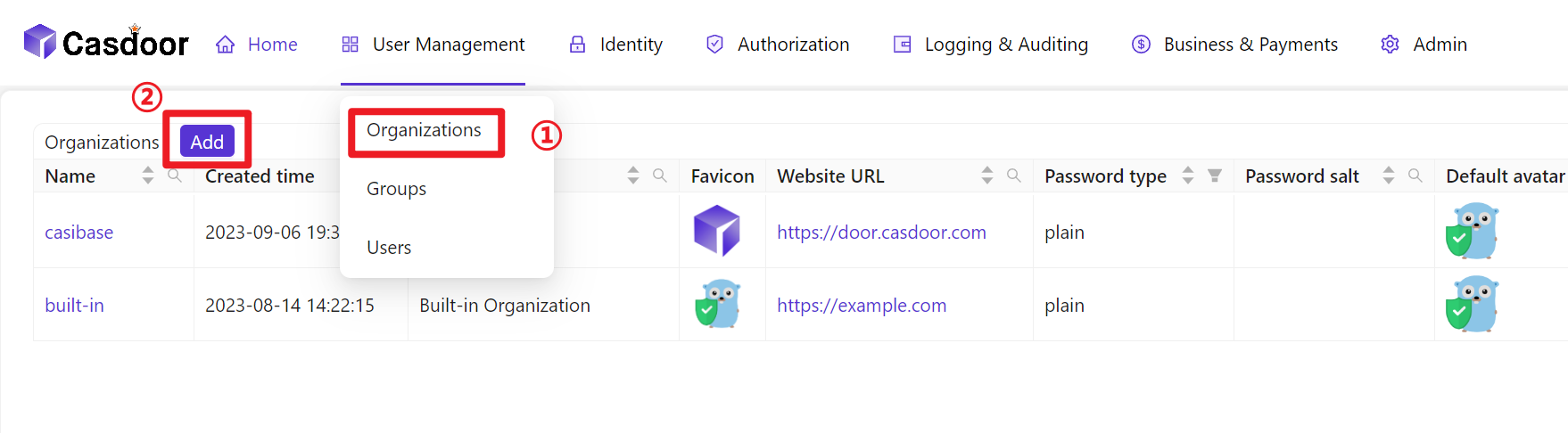
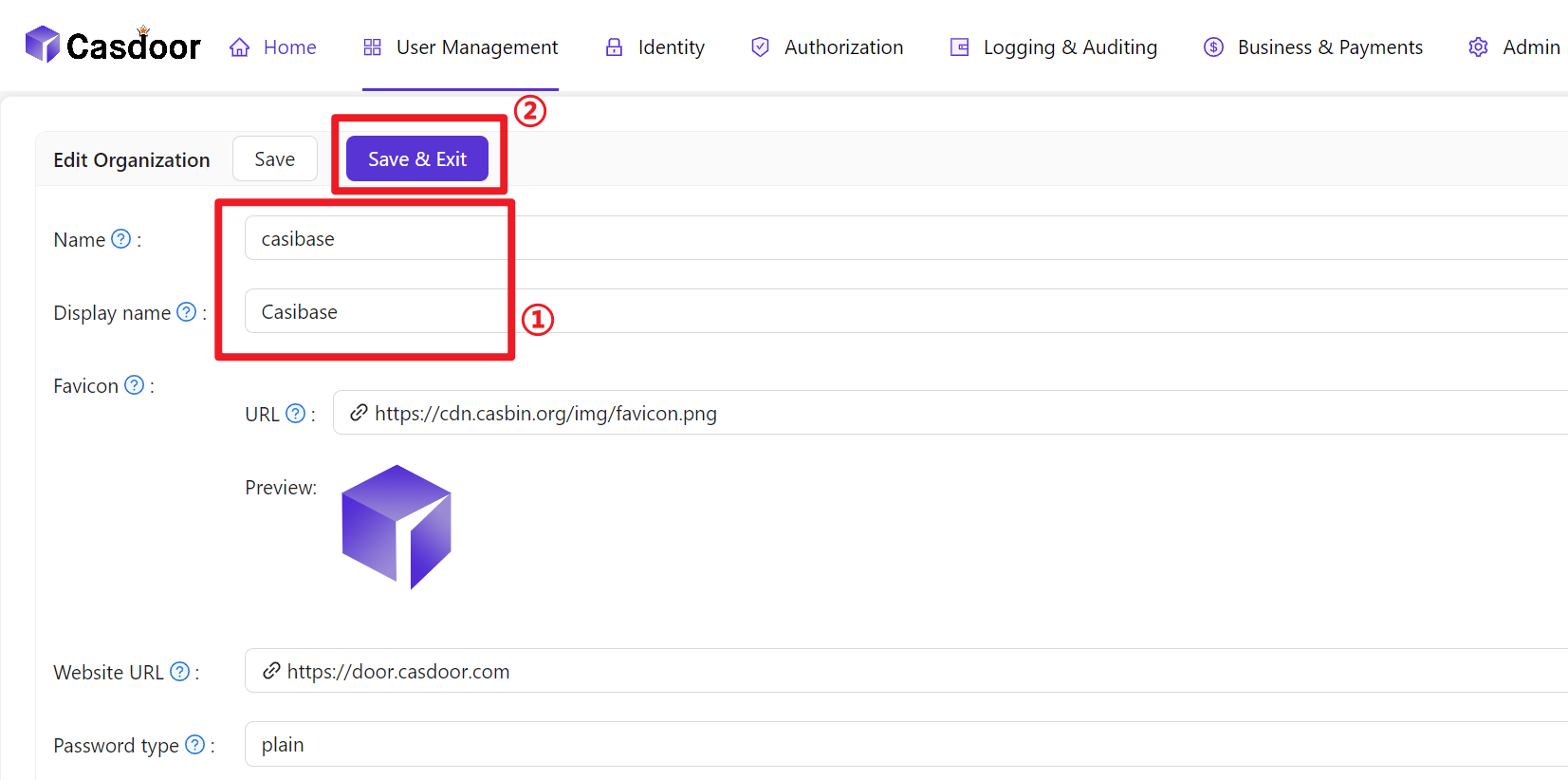
- تكوين معلومات المنظمة
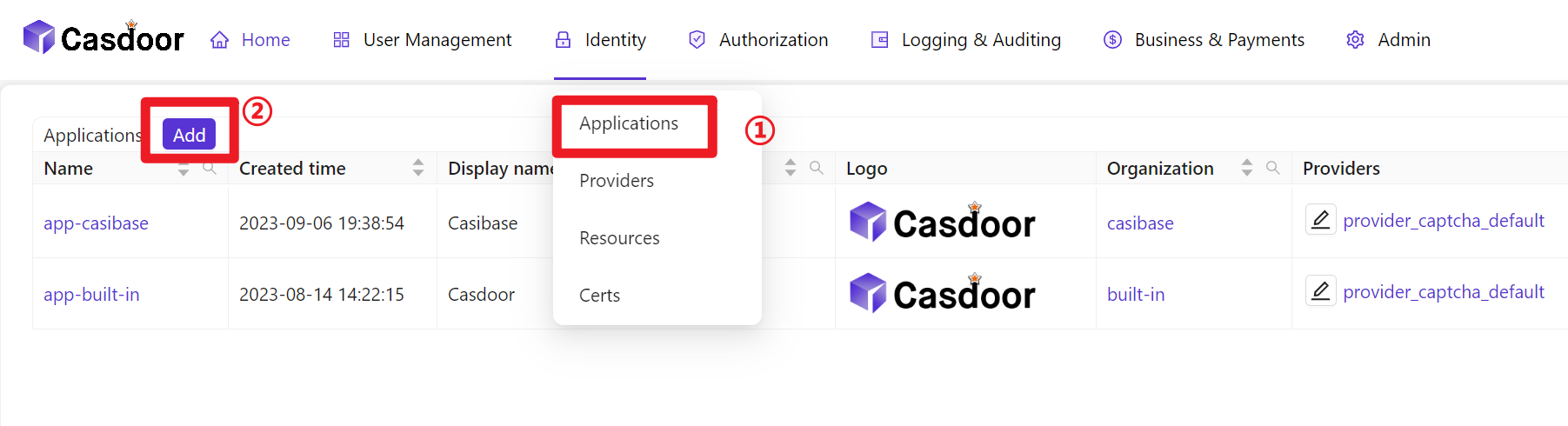
- إنشاء تطبيق جديد
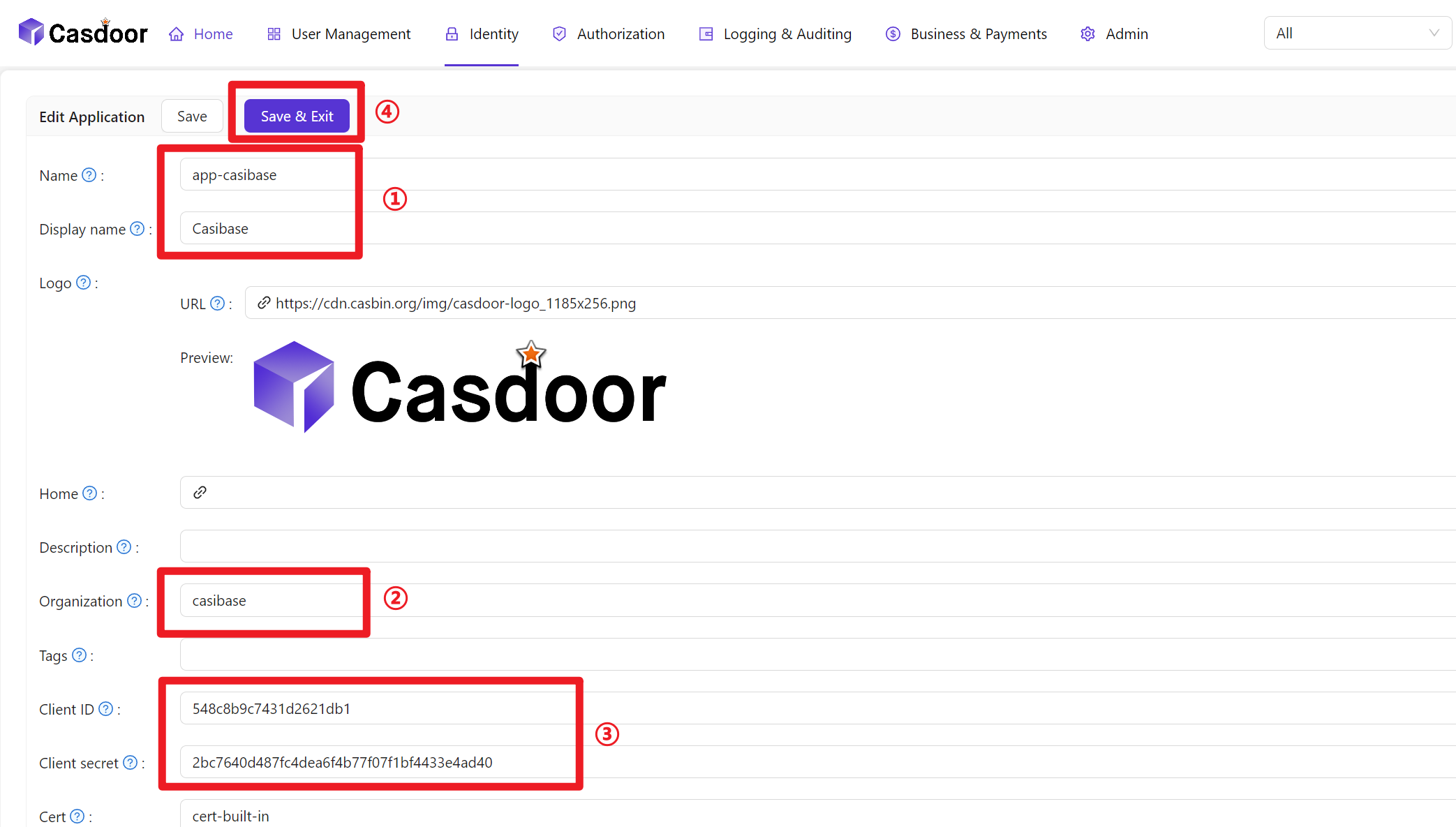
- تكوين معلومات التطبيق (يرجى تذكر اسم التطبيق ومعرف العميل والسر الخاص بالعميل)
- Create a Certificate: In the Casdoor dashboard, choose Cert → Add, keep
AlgorithmasRS256(default), enter a name, and click Save.

- Bind the Certificate to the Application: Open the Config tab of your newly created Application, select the certificate you just created from the Cert dropdown, and click Save.

- إضافة أعضاء إلى المنظمة التي تم إنشاؤها حديثًا
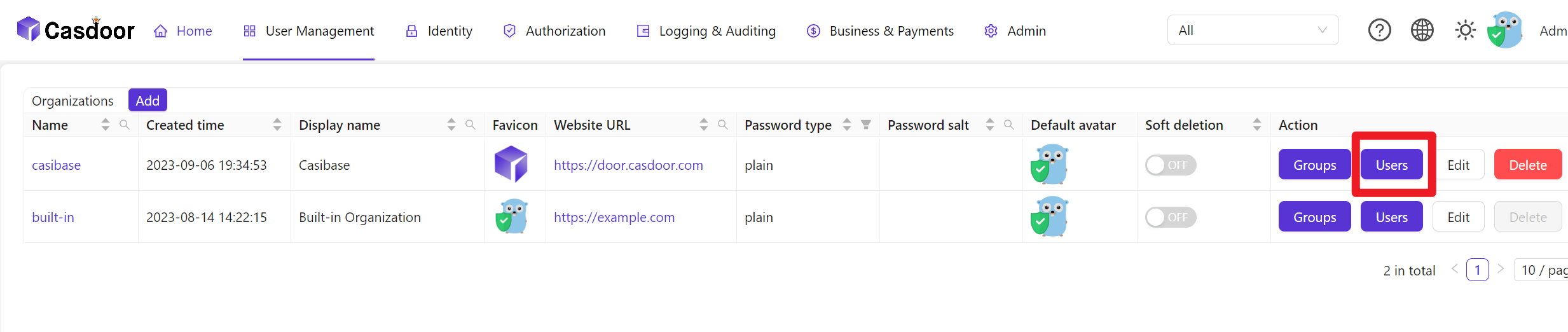
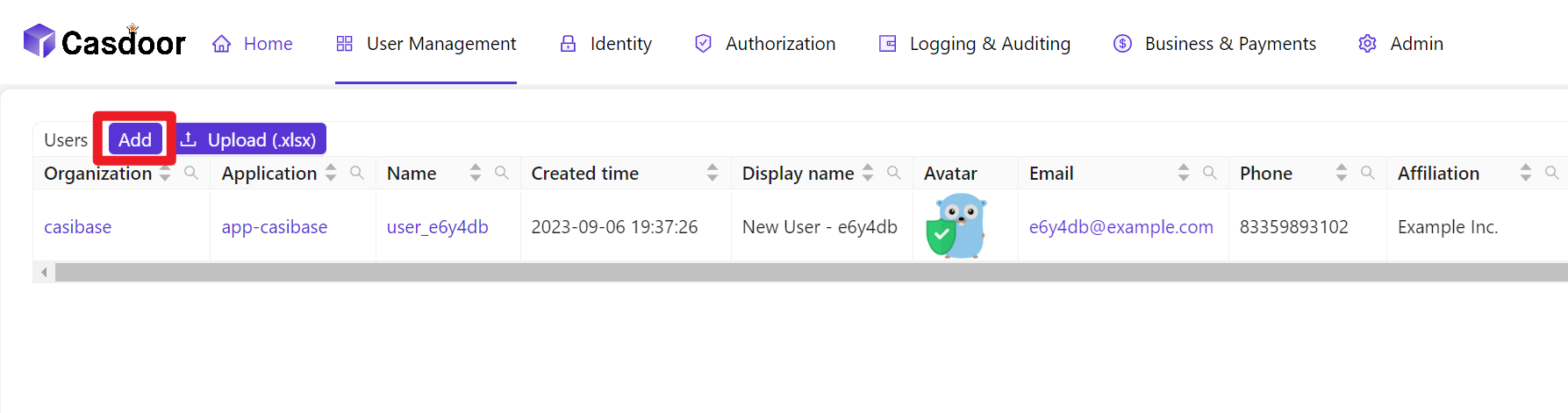
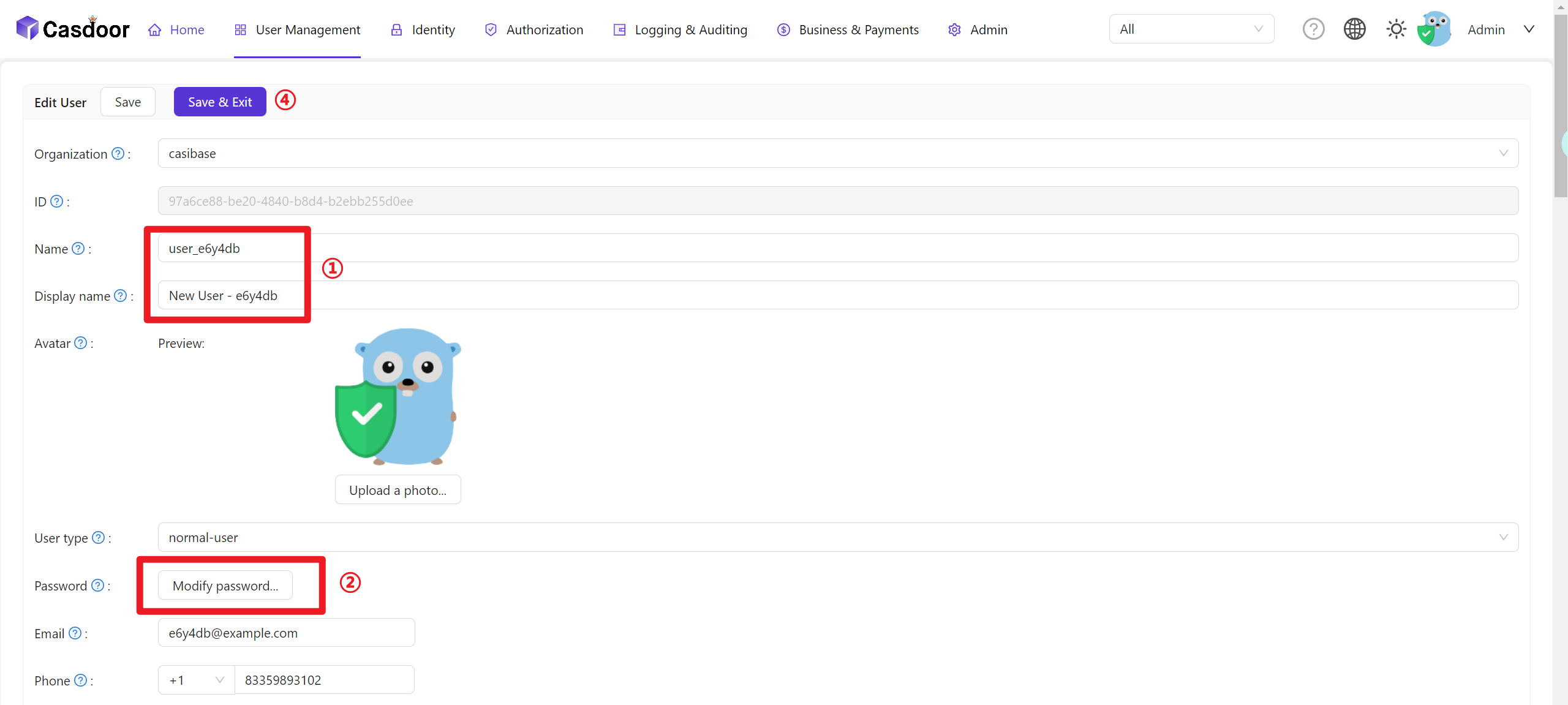
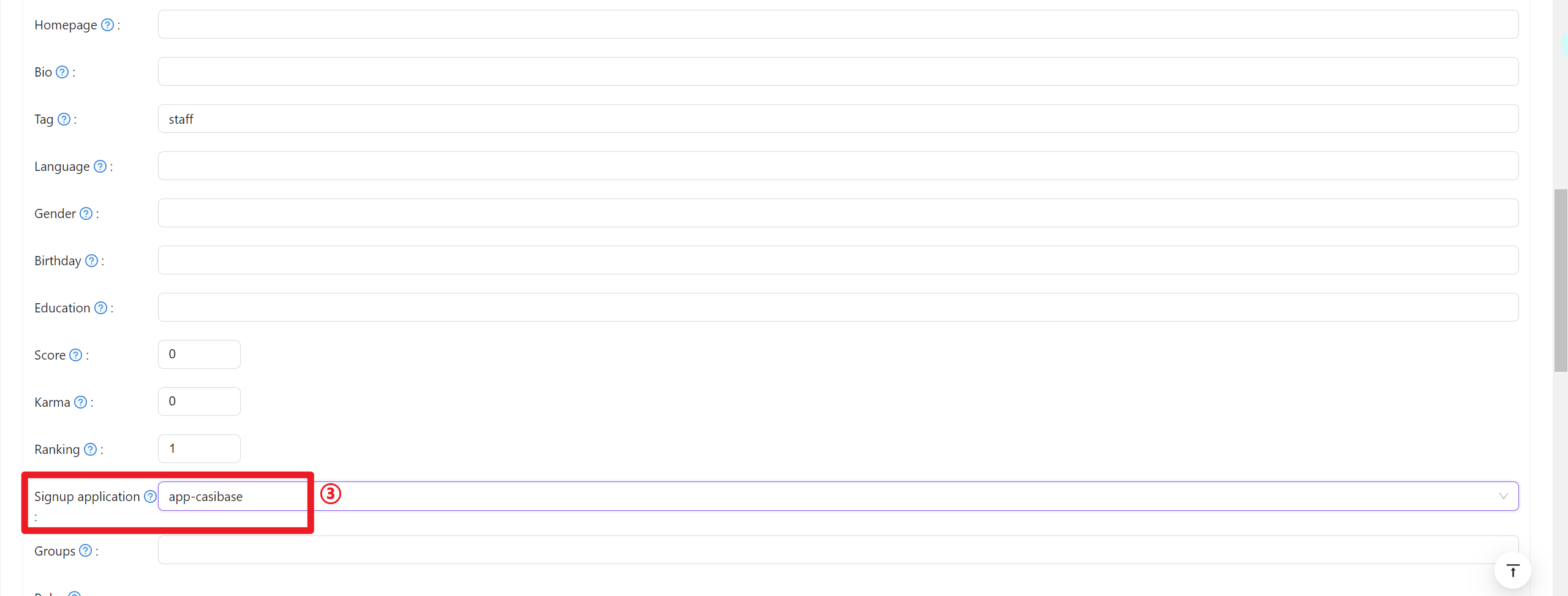
- تكوين معلومات الأعضاء (يرجى تذكر اسم المستخدم وكلمة المرور)
User Data Synchronization
Casibase automatically keeps user information synchronized with Casdoor. When a user's account is accessed through the application, Casibase fetches the latest user data directly from Casdoor rather than relying on cached session data. This ensures that any updates to user profiles in Casdoor—such as changes to name, email, avatar, or permissions—are immediately reflected in Casibase without requiring users to log out and log back in.
This real-time synchronization happens transparently in the background whenever the application needs to access the current user's account information.
Billing Integration
Casibase integrates with Casdoor's transaction system for AI usage billing. When users interact with AI models, transaction records are automatically created in Casdoor to track token consumption and costs. This enables centralized billing management across all your applications. For details on how transactions work, see the Billing & Usage section.