概述
在本节中,我们介绍Casibase最核心的部分:聊天及其管理。
1. 聊天
一旦我们配置好存储,我们就可以与AI进行对话。如下图所示: 如下图所示:
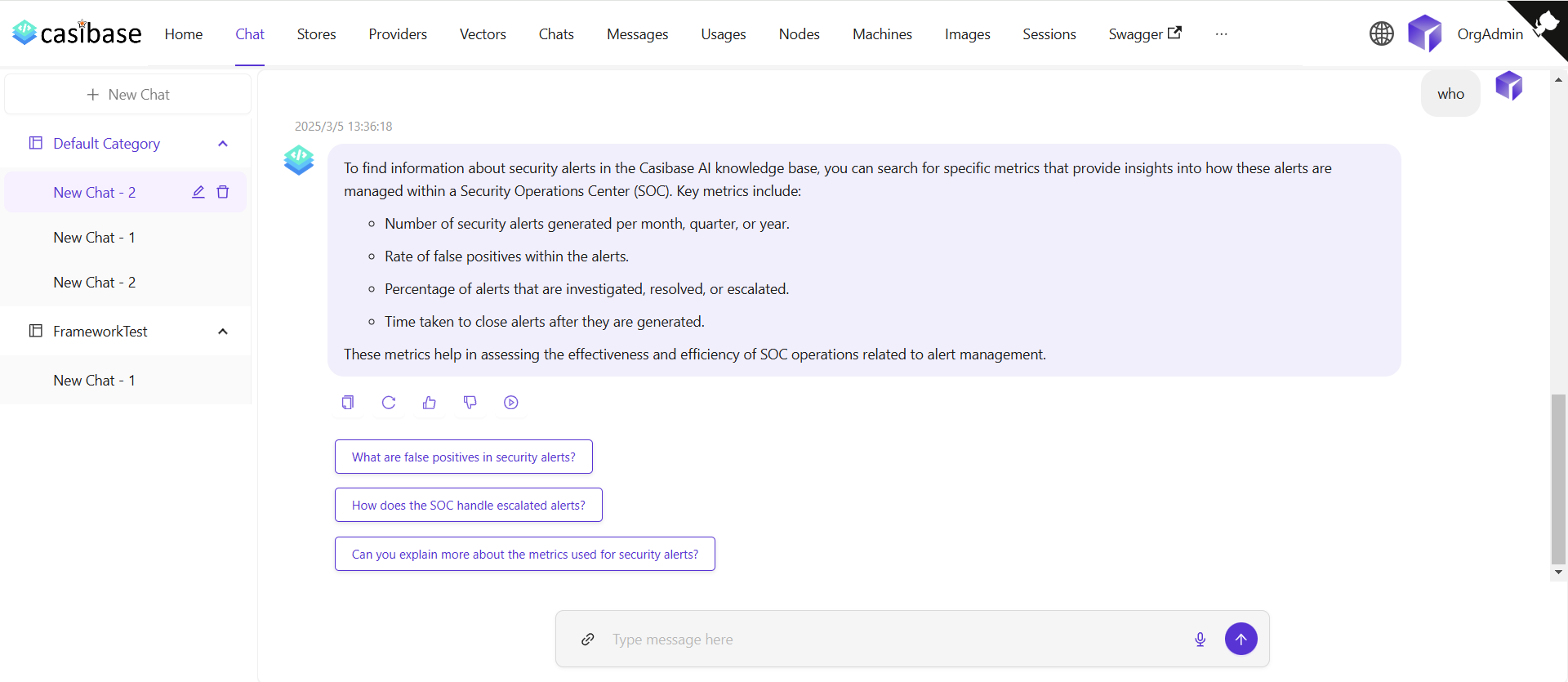
The chat interface adapts to different AI capabilities. When using OpenAI or Alibaba Cloud providers, you'll see a web search toggle that lets the AI fetch current information from the internet. Search results appear inline with the response, complete with source URLs and timestamps for verification. For OpenAI's reasoning models (o1 and o1-mini), the chat displays the model's step-by-step thinking process in expandable sections, letting you follow along as it works through complex problems.
2. 聊天管理
我们可以从聊天菜单管理我们的聊天会话。
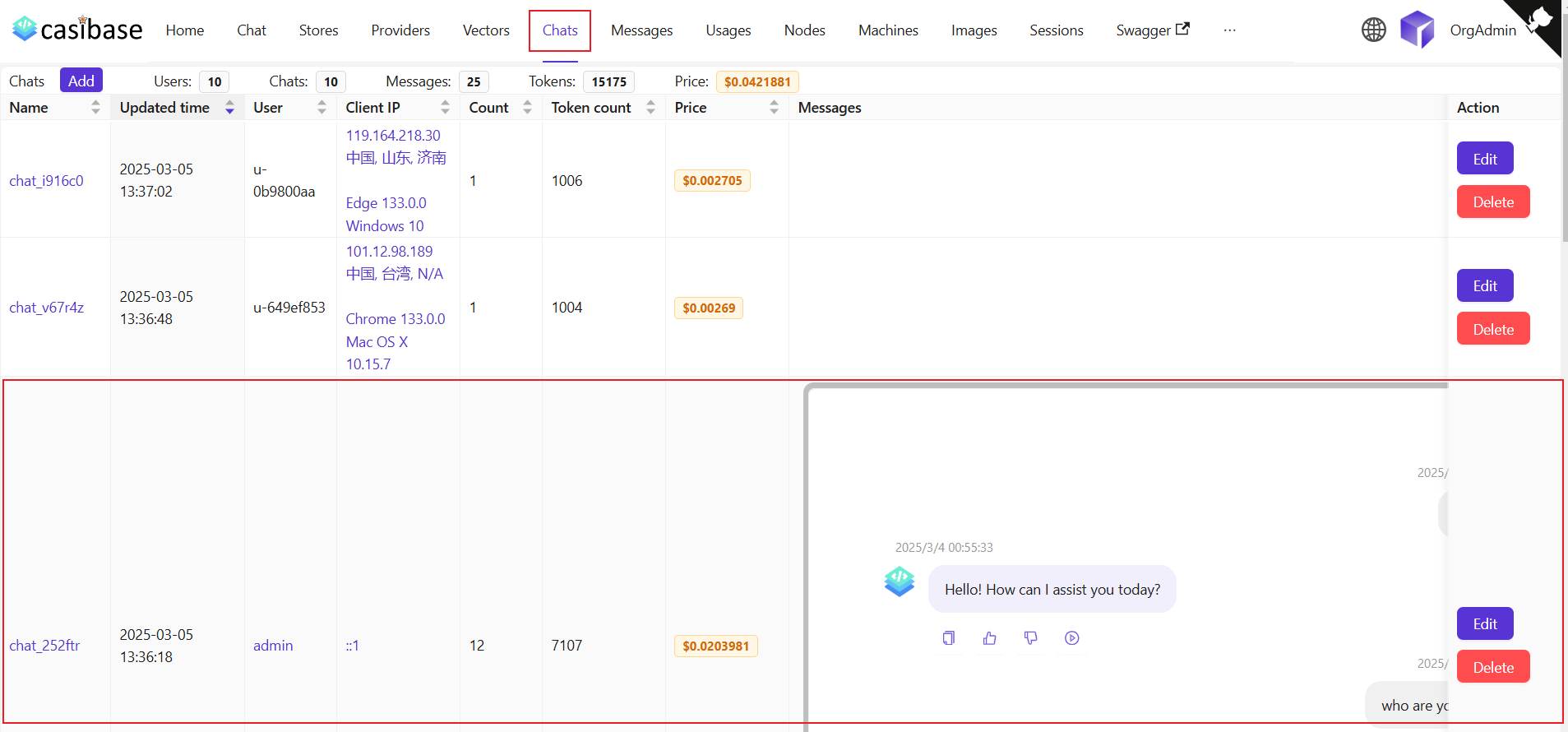
该页面允许用户查看已创建的聊天信息,用户也可以点击编辑来查看或编辑它们。它们显示以下信息: 它们显示以下信息:
名称:创建的聊天名称。更新时间:聊天更新的时间。用户:聊天所属的用户。客户端IP:聊天的客户端IP。计数:此聊天的输入和输出数量。令牌计数:此聊天使用的总令牌数。价格:此聊天花费的总价格。消息:显示聊天的消息内容。存储:显示聊天所属的存储。Model Provider: The AI provider used for this chat (e.g., OpenAI, Claude).类别:显示聊天所属的类别。
Token usage and costs are automatically tracked for billing purposes. See the Billing & Usage section for more details on how transactions are created and managed.