Model Providers
Introduction
Model Providers enable AI capabilities in Casibase by integrating various large language models (LLMs) and AI services. These providers allow you to chat with AI, analyze documents, generate embeddings, and perform other intelligent tasks.
Casibase supports a wide range of model providers, from major cloud services like OpenAI and Azure OpenAI to local and custom model deployments. This flexibility lets you choose the right model for your use case, whether you prioritize performance, cost, privacy, or specific capabilities.
Refer to the Core Concepts section for more information about providers in general.
Add a New Model Provider
Model providers are used to integrate LLM capabilities into Casibase. You can add them by following these steps:
Click the Providers button on the page.
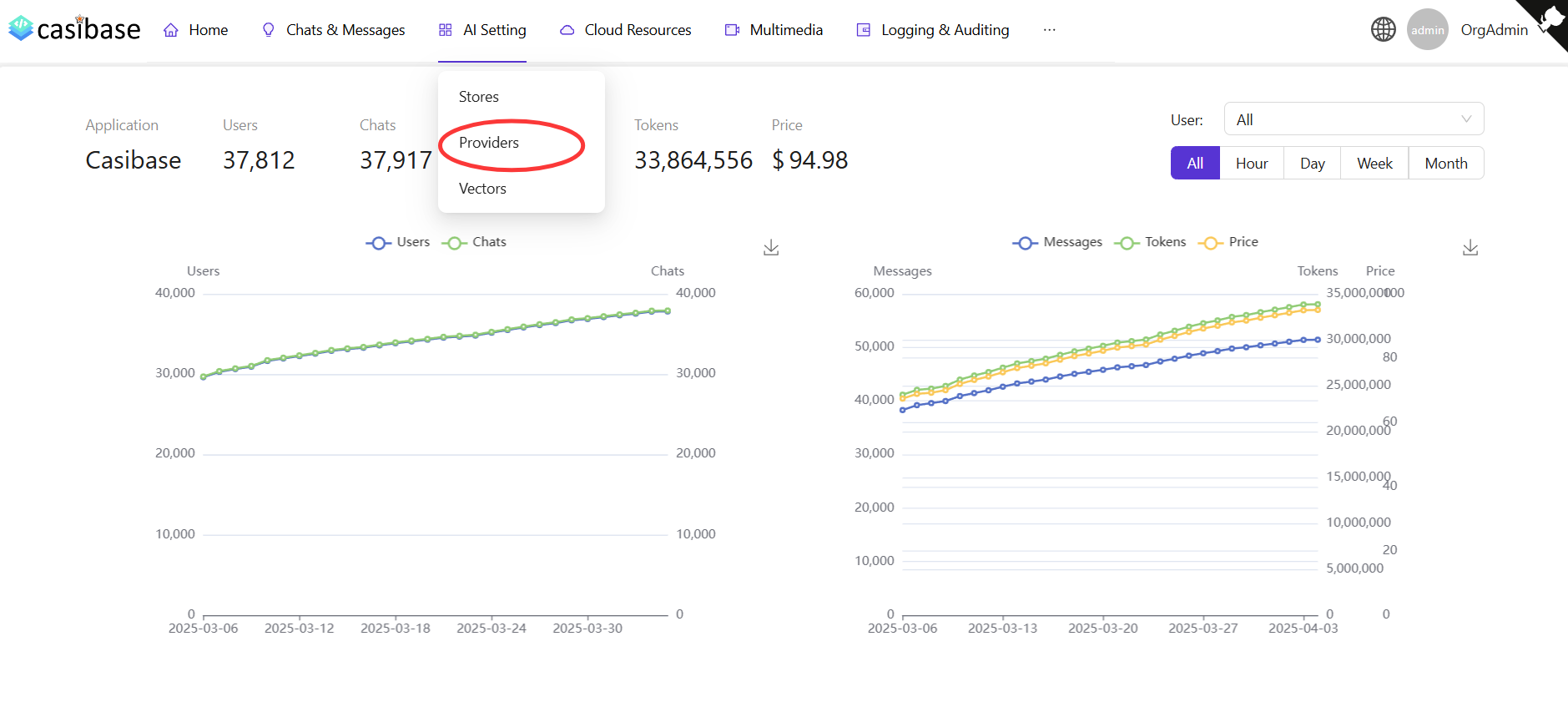
Add a Model Provider
Click the Add button to add a new model provider.
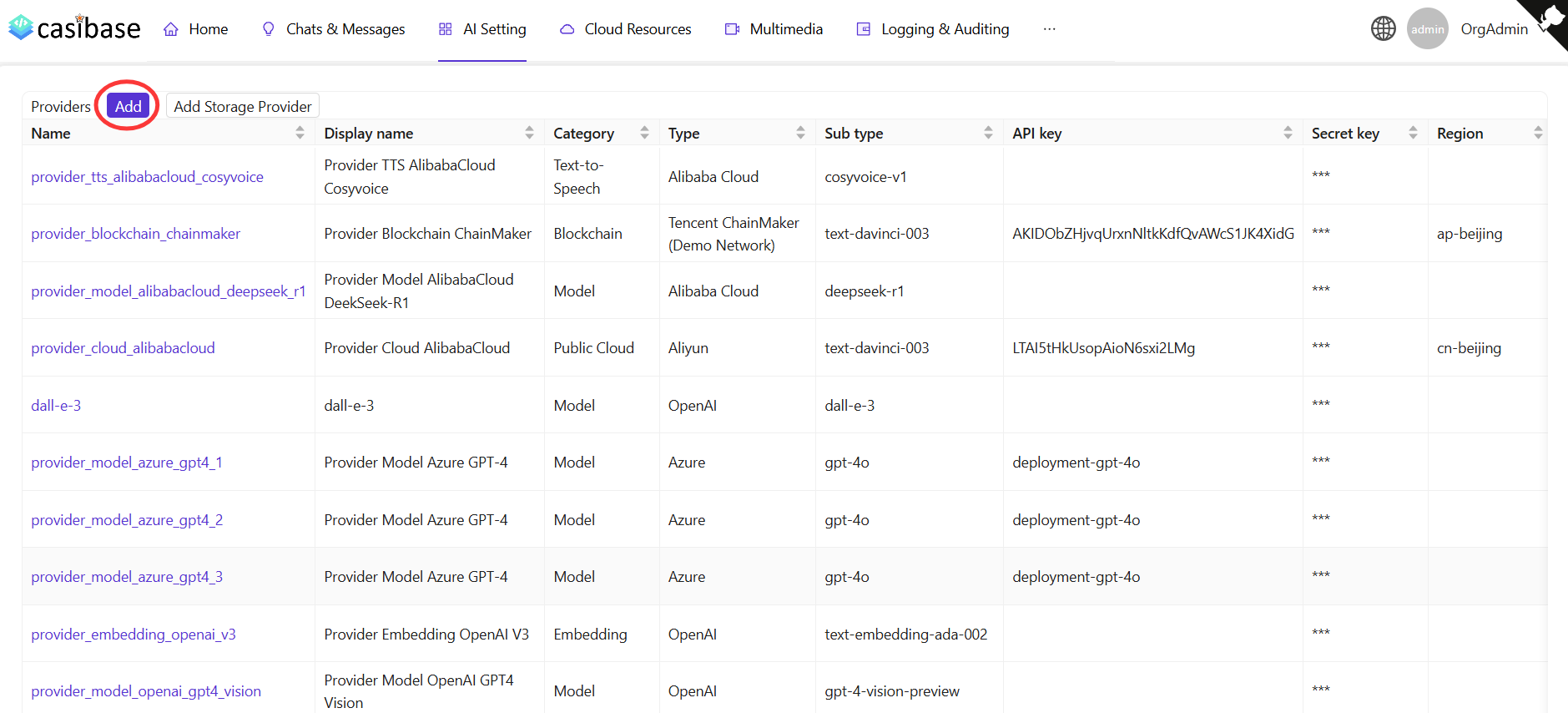
Fill in Model Provider Details
Fill in the required configuration, setting the Category to "Model" and selecting the appropriate Type. Then click the Save & Exit button to save.
More information about specific model provider types can be found below:
📄️ Local Model Provider
Configure local and custom model providers with OpenAI-compatible APIs
Supported Providers
| Provider | Description |
|---|---|
| OpenAI | GPT-3.5, GPT-4, o1 series with web search and step-by-step reasoning displays |
| Azure OpenAI | OpenAI models through Azure infrastructure with official SDK integration |
| Alibaba Cloud | Qwen models and DeepSeek (v3, v3.1, v3.2, R1) with web search support |
| DeepSeek | DeepSeek V3.2 with chat and reasoner models featuring updated pricing |
| Claude | Anthropic's Claude models including Opus 4.5, Sonnet 4, and Haiku variants |
| Moonshot (Kimi) | Moonshot v1 (8k/32k/128k) and Kimi K2 models with thinking capabilities and auto-tier pricing |
| Hugging Face | Open-source models hosted on Hugging Face |
| OpenRouter | Unified access to multiple AI models through one API |
| Ollama | Run models like Llama, Mistral, and Phi locally without API keys |
| Local | Self-hosted models or custom providers with OpenAI-compatible APIs |
After adding a model provider, you can use it for chatting, document analysis, question answering, and other AI-powered features in Casibase.